
Why Your Podcast Outreach Doesn't Work (And How to Fix It)
How Talks.co’s AI matching, double opt-in system, and advanced search filters replace cold pitching with something that actually works

How many hours have you spent researching podcasts, writing pitches, sending them out, and hearing absolutely nothing back?
Are you thinking it’s because you’re not good enough?
Or you’re probably sure it’s because of that second topic you sent you swore you shouldn’t send it.
What if I told you the only reason you’re NOT hearing back from any podcast host is because you’re sending messages to hosts who have no idea you were coming and no particular reason to care when you arrive?
That’s the fundamentally different way to approach this.
And it starts with understanding what makes Talks’ matching system work differently from every other outreach method you’ve tried.
Cold pitching is a numbers game you play against the odds. AI matching on Talks is a positioning game you play with the odds already in YOUR favor.
The difference isn’t subtle and it shows up immediately in your acceptance rate.
Here’s exactly how the system works and how to get the most out of every feature inside it.
3 Reasons Why Cold Outreach Has a Built-In Ceiling
Before we get into the matching system, it helps to understand what you’re actually replacing and why the replacement matters.
The research problem: Finding shows manually takes 20 to 30 minutes per podcast and at the end of it you still don’t know if the host is actively booking guests, what their real audience size is, or whether they covered your topic three times last month.
The cold pitch problem: A host who receives your pitch has no prior context for who you are; you’re asking them to take a risk on a stranger based on a few paragraphs of self-description.
The follow-up problem: Even when your pitch is good, staying organized across dozens of outreach threads manually is exhausting and inconsistent; opportunities slip through the gaps constantly.
All three of these problems disappear when you let the matching system do what it’s built to do.
How the Talks AI Matching System Works
The Talks matching algorithm analyzes your profile across multiple dimensions at once and surfaces shows and guests whose profiles indicate a genuine fit with yours.
Here’s what it’s looking at when it builds your matches.
Your topics and niche: The specific subjects you’ve said you speak on, cross-referenced against what shows are actively looking for in a guest
Content style and audience overlap: Whether your communication style and target audience align with what the show’s existing audience responds to
Experience level and past appearances: Matching you with shows where your track record is appropriate for the audience size and production level
Mutual interests and past connections: The algorithm gets smarter the more you interact with it; every time you mark a profile as interested or not interested it learns more about what a good match looks like for you specifically
The important thing to understand about suggested matches:
Suggested matches on Talks are unlimited. You can review as many profiles as the algorithm surfaces without it counting against your connection limit.
The limit only applies when you actually send a connection request.
This means you can spend real time evaluating your matches before you commit a connection, which is the right way to use the system.
The double opt-in system and why it changes everything
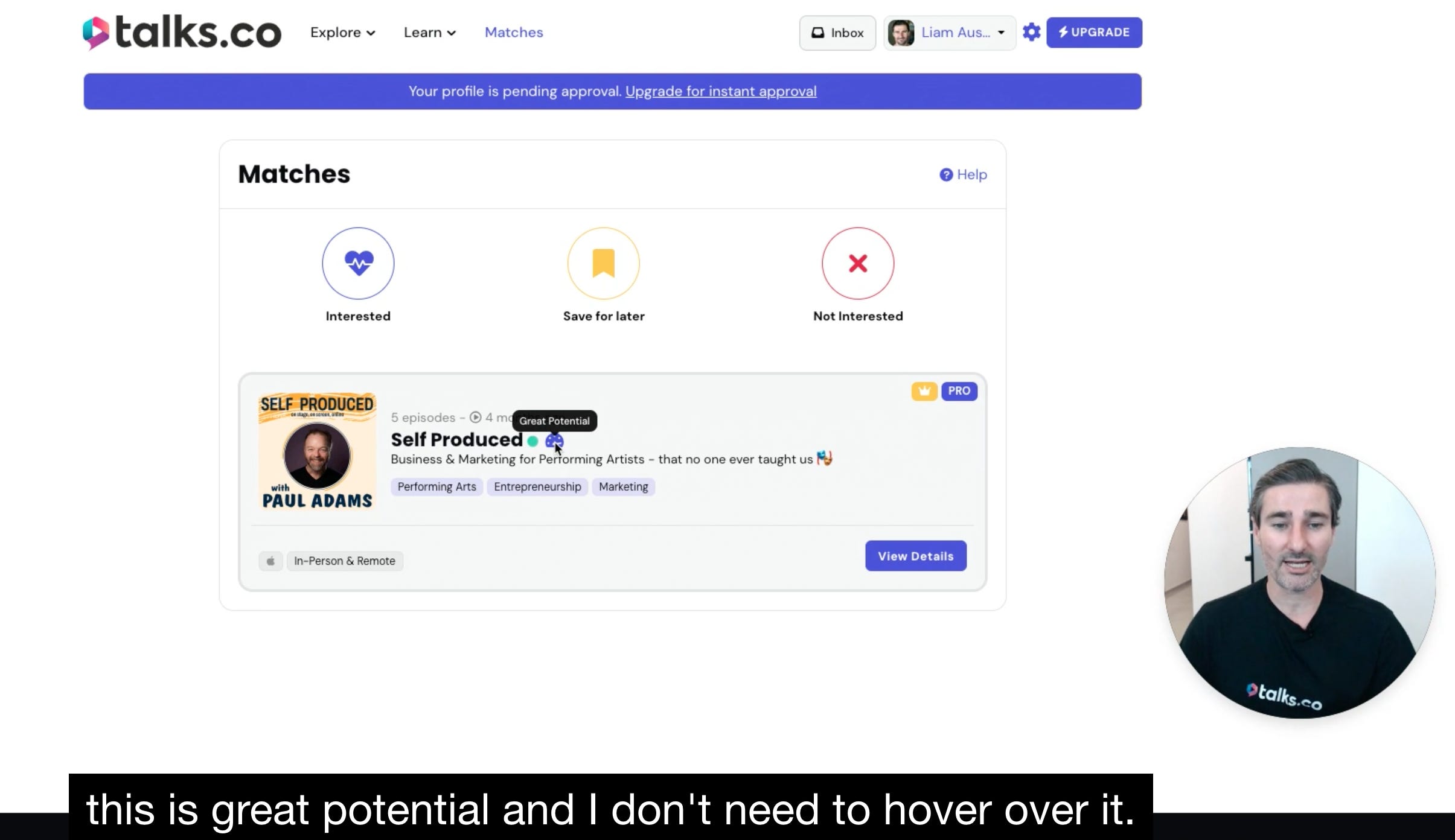
This is the feature that fundamentally separates Talks from cold outreach and from most other podcast booking platforms.
Here’s how it works.
You see a profile and mark it as interested: This tells the algorithm you’d like to connect with this person but it doesn’t send them a message yet
They see your profile and mark it as interested too: Only when both sides have expressed mutual interest does the match happen and the conversation open
The result: Every conversation in your Talks inbox started because both people wanted to be there; no cold DMs, no unsolicited pitches, no inbox spam on either side
Why this matters for your acceptance rate:
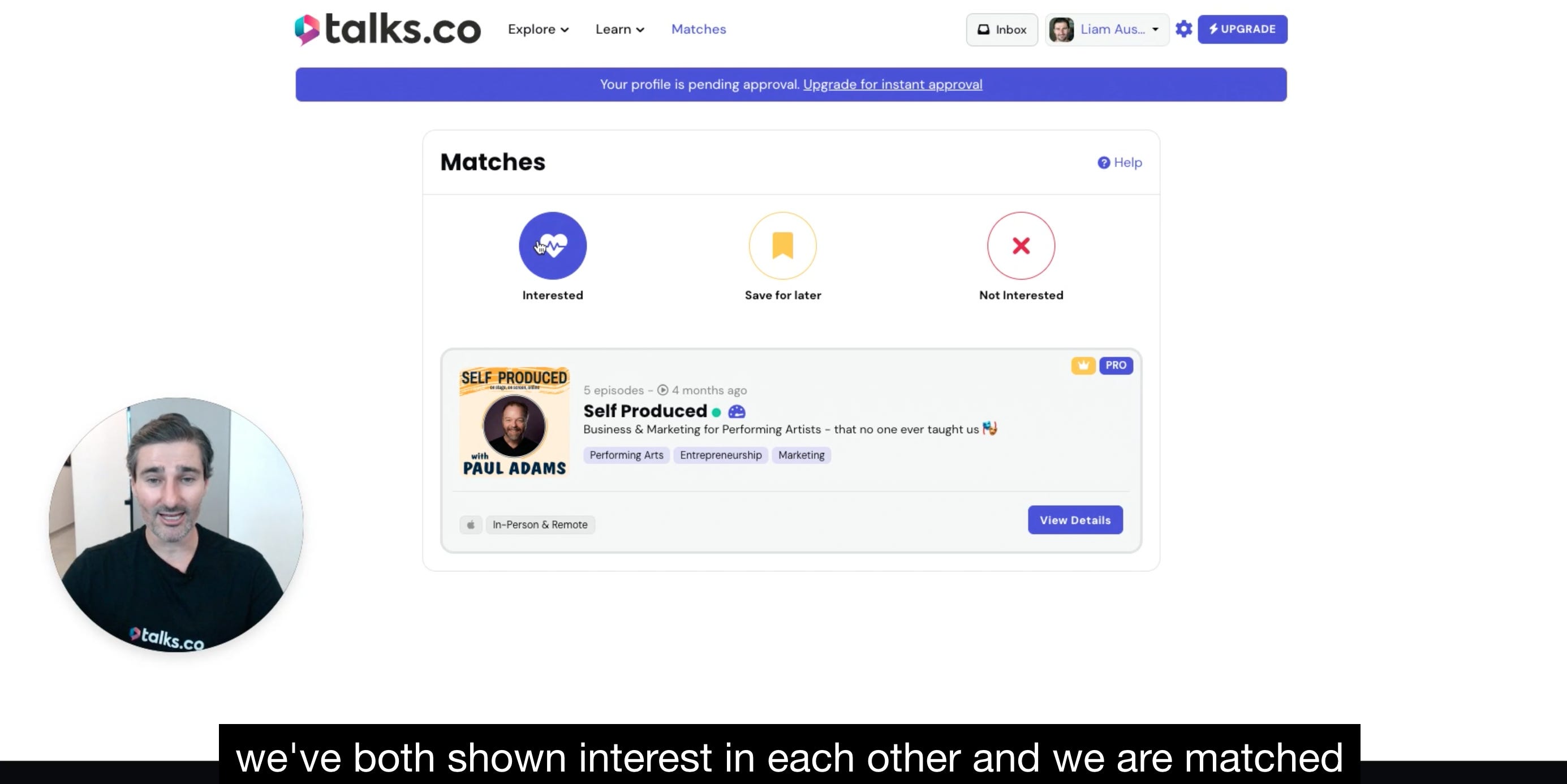
When you connect with someone through a mutual match rather than a cold request the dynamic of the conversation is completely different. They already know who you are. They already indicated interest in your profile.
You’re not convincing them from zero. You’re following up on something that already had momentum.
What to do when you mark someone as not interested:
Marking a profile as not interested is permanent for free users but Pro users can undo this action via the explore page.
Use this feature honestly because the algorithm uses your not interested signals to calibrate future matches. The more accurately you rate your matches the better your future suggestions become.
How to Get the Best Matches From the Start
The quality of your matches is directly proportional to the quality of your profile. Here’s what to optimize before you start rating matches.
Be specific with your topics: “Podcast guesting for coaches” gets better matches than “business”; the algorithm rewards specificity because specificity is how it identifies genuine fit.
Complete every section of your profile: A partially filled profile gives the algorithm less to work with and produces less accurate matches as a result.
Interact with your matches consistently: Every interested and not interested signal you give the algorithm makes it smarter; members who engage regularly with their matches report noticeably better suggestions within the first few weeks.
The advanced search filters and what they unlock 🔍
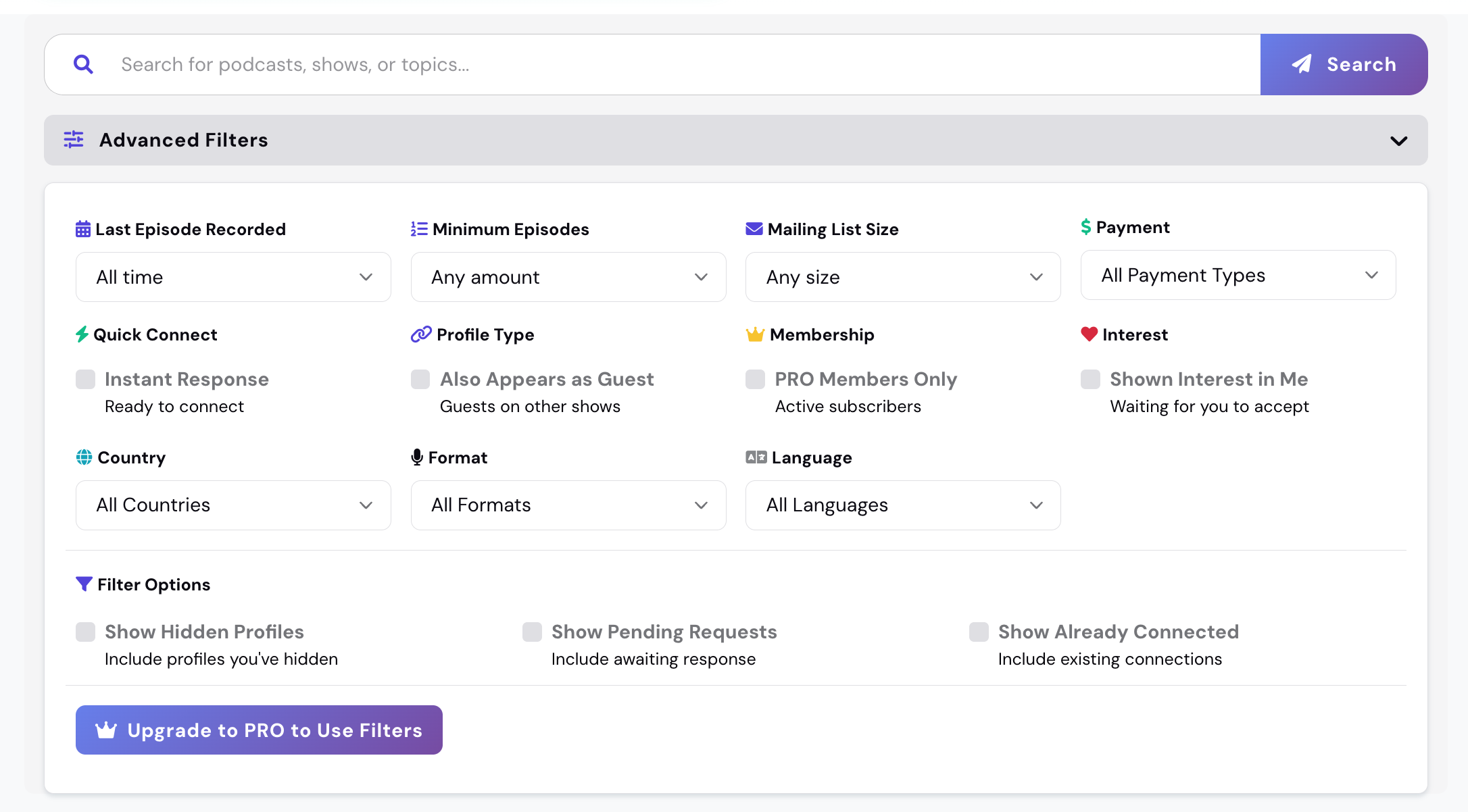
Beyond the AI matching there’s a second way to find the right shows and guests on Talks: the search and filter system.
Talks Pro members get access to a set of advanced filters that free members don’t, and these filters are where the real targeting precision lives.
Here’s what you can filter by as a Talks Pro member.
Audience size: Filter by mailing list size or social following so you can target shows whose reach matches your current stage; this means no more pitching shows that are either too big for your track record or too small for your goals
Recently active users: Filter for members who have been active on the platform recently, which indicates they’re actively looking to connect right now rather than sitting on a dormant profile
Pro users only: Filter to see only Pro members, who are by definition more serious about their podcasting goals and more likely to follow through on a connection
Guest swap opportunities: Find hosts who are also looking to appear as guests on other shows, which opens up a reciprocal relationship that benefits both sides
Faster responders: Filter for members with high response rates so you’re prioritizing connections who’ll actually move conversations forward quickly
Why connecting after a match is better than connecting from search
You can connect with someone directly from search without waiting for a mutual match. But the platform recommends connecting after a match rather than directly from search wherever possible.
The reason is simple: a matched connection already has mutual interest established. A direct search connection is closer to a cold outreach and gets treated that way by the recipient.
💡 The members who get the best results from Talks are the ones who treat the matching system as their primary source of connections and use search as a secondary tool for specific targeting.
Let the AI do the broad work. Use filters for precision.
What This Looks Like In Practice
Here’s the practical difference between using Talks properly and using it the way most new members do.
Most new members:
Sign up and immediately start sending connection requests from search without building a complete profile first.
Skip rating their matches because they’re in a hurry to connect, which means the algorithm never learns their preferences.
Use vague topics on their profile, which produces vague matches that don’t convert into real conversations.
Members who get results:
Build a complete profile first so the algorithm has accurate information to match against from day one.
Rate every match as interested or not interested so the system learns their preferences and improves continuously.
Use advanced filters to layer precision on top of the AI’s broad matching, finding shows that fit their exact goals at their exact stage.
The platform does the heavy lifting. Your job is to give it the right inputs and trust the process long enough for it to show you what it can do.
This is Part 3 of a 5-part series on how to use Talks.co as a complete podcast guest masterclass.
Here’s where we’re going:
✅ Part 1: Profile setup and getting found on Google
✅ Part 2: The video pitch, lead magnet, and Pro badge
✅ Part 3 (you’re here): AI matching, double opt-in, and advanced search filters
Part 4: The inbox workflow and the authority signals that get you more bookings
Part 5: Reviews, your referral link, and how it all compounds over time
🔖 Save this post before you start rating your matches. The tips on how to interact with the algorithm above will make a noticeable difference to the quality of your suggestions within the first few weeks.
P.S. The single most common mistake I see new Talks members make is sending connection requests before they’ve finished building their profile. The algorithm matches on what’s in your profile. An incomplete profile produces incomplete matches. Finish the profile first. Everything else works better from there. 👇
Keep Talking,
Liam
~
Visibility systems to grow your personal brand, audience + authority with guest appearances. First online sale in 2001. Built multiple 6–7 figure online businesses. 400+ interviews. Malta, Stockholm, Sydney. Love soccer, surf & burritos.