
The First Thing You Do on Talks Sets the Tone for Everything That Follows
How to set up your speaker profile the right way, choose your username wisely, and get your Talks page ranking on Google faster than you’d expect

If someone Googled your name right now, what would they find?
Your LinkedIn, maybe?
Your website if you have one?
Most probably a social profile or two.
And then probably a mix of things you don’t fully control and can’t fully predict.
But the thing with most coaches, consultants, authors, and entrepreneurs is that we never really realize until someone points it out how every single result on that first page of Google is either working for you or it isn’t.
And right now, most people have at least one empty slot on that page that could be doing real work for their personal brand and isn’t.
Your Talks profile is a public speaker page that ranks on Google, shows up in AI search results, and tells every host who finds you exactly who you are, what you talk about, and why you’re worth booking.
Setting it up properly from the start is the difference between a profile that works while you sleep and one that just sits there. Here’s exactly how to do it.
Why Your Talks Creator Profile Setup Matters More Than Your First Pitch
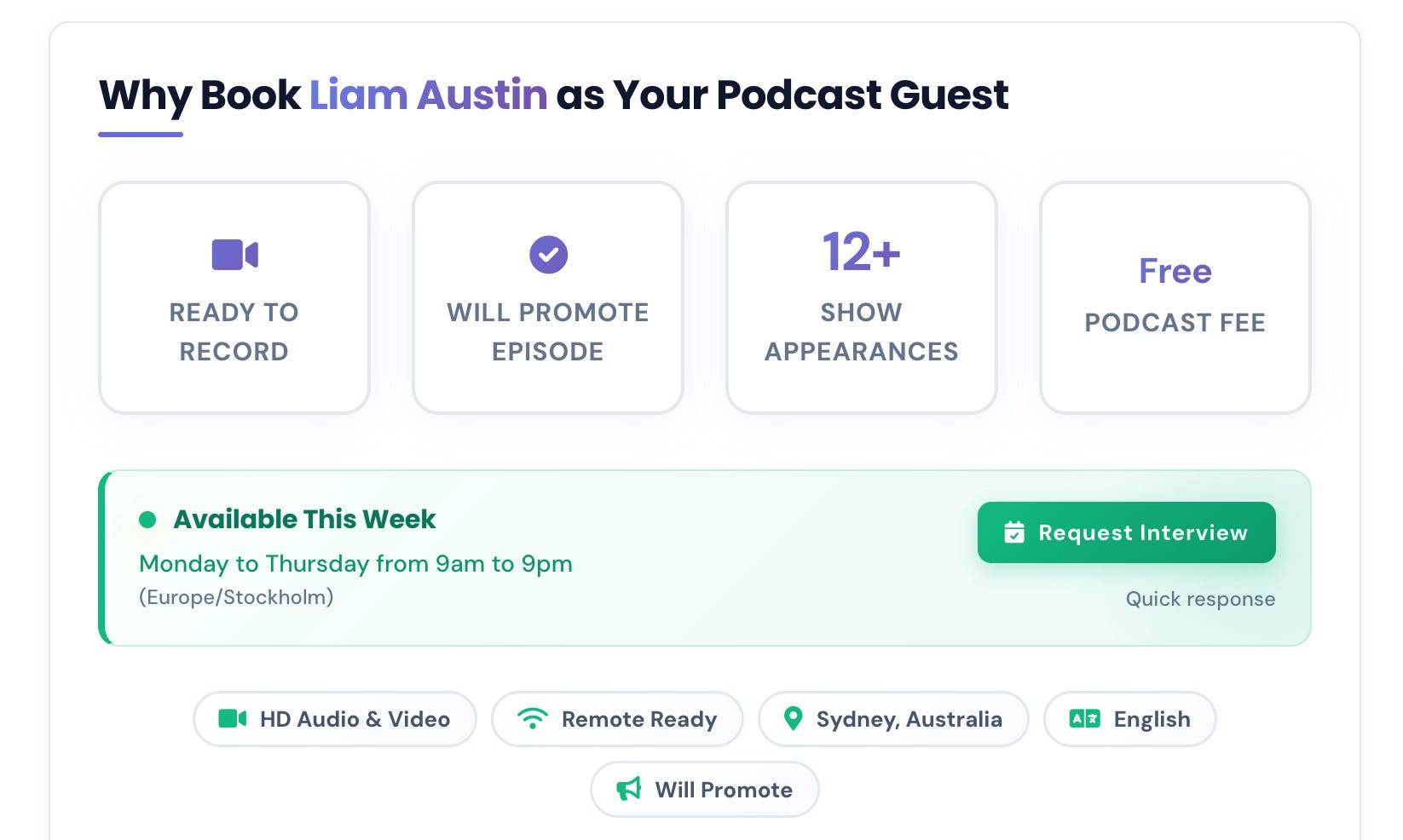
Most people join Talks and go straight to browsing matches. That instinct makes sense but it’s the wrong order of operations.
Here’s why your profile has to come first.
The AI matches you based on what’s in your profile: The more specific and complete your profile is, the more accurately the algorithm can surface shows whose audiences are genuinely aligned with what you do and talk about.
Hosts research you before they say yes: When a host gets your connection request the first thing they do is click through to your profile; a half-built page with a vague headline and no past appearances is doing active damage to your acceptance rate.
Your profile is also a public web page: It lives at talks.co/yourname, it’s indexed by Google, and it can rank in search results for your name within weeks of being live if you take the five steps we’ll cover below.
The 10 minutes you spend setting this up properly will do more for your booking rate than the next ten pitches you send.
How to Set Up Your Talks Creator Profile Step-by-Step
When you sign up for Talks, the platform walks you through profile creation with AI assistance, which means you don’t need to stare at a blank page. Here’s what to focus on at each stage.
1. Choose your username carefully
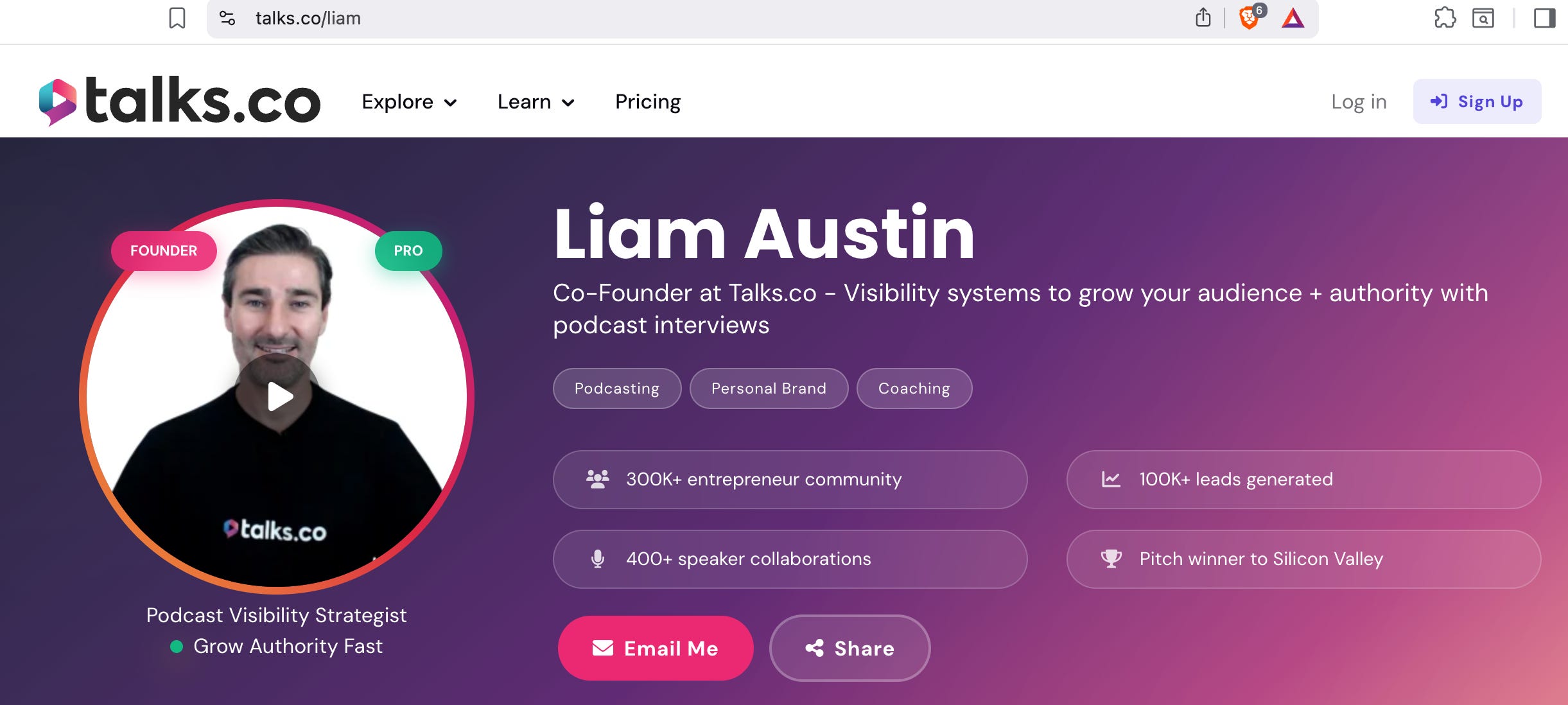
Your username becomes your permanent profile URL and it’s one of the most important decisions you’ll make on the platform.
What it looks like: talks.co/yourname, for example talks.co/liam.
Why it matters for Google: this URL is what gets indexed and ranked; a clean name-based URL ranks faster and performs better in search than a random string of characters.
What to choose: Your first name, your full name, or your personal brand name; pick whatever represents you most consistently across your other platforms.
One warning: Changing your username later affects your ranking and any links you’ve already shared, so choose once and commit.
2. Fill in your podcast topics with specificity
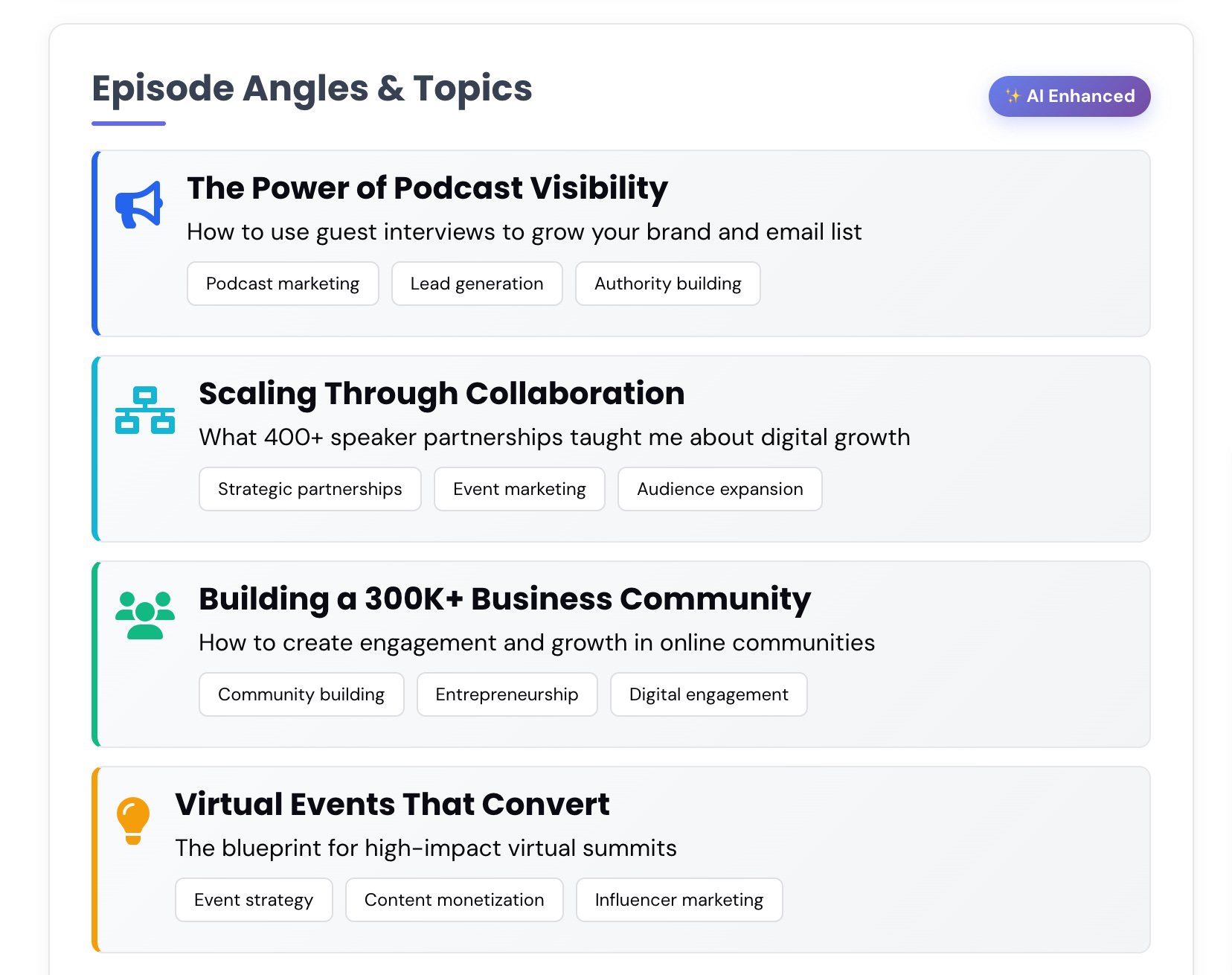
Your podcast topics are the primary signal the AI uses to match you with the right shows. Vague topics produce vague matches.
What most people write: “Business,” “mindset,” “entrepreneurship.”
What actually gets you better matches: “Podcast guesting for coaches,” “building authority through speaking,” “how consultants can grow their client base without paid ads”.
The rule to follow: If your topic could belong to any guest in any niche it’s not specific enough; the more precisely you describe what you actually talk about the better your matches will be
3. Add your past appearances
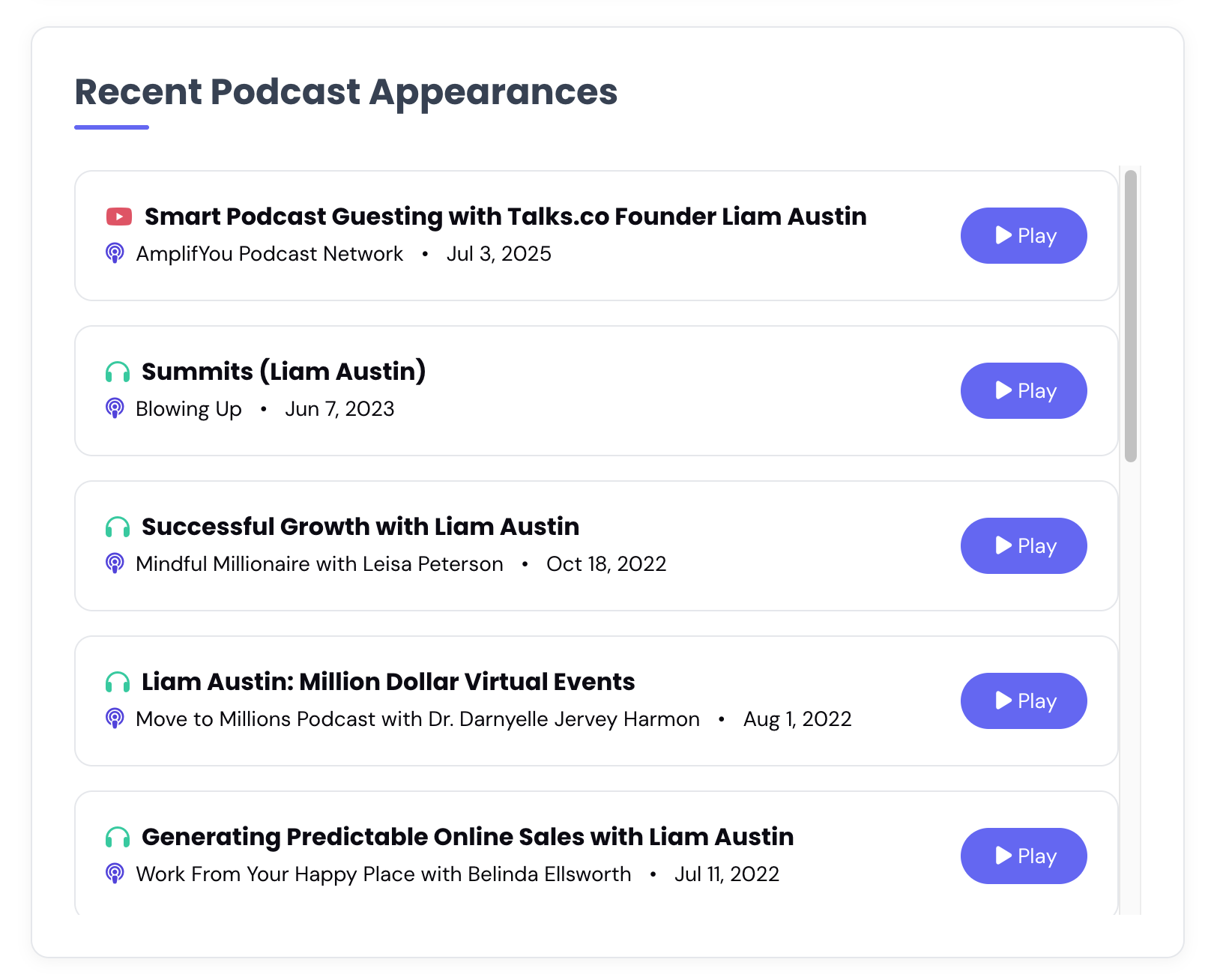
Every show you’ve appeared on, even small ones, belongs on your Talks Creator profile.
Why this matters for hosts: A track record tells a host that someone else already took the risk and it worked out; no past appearances isn’t a dealbreaker but even one or two removes a significant amount of hesitation
What to include: Show name, episode title if you have it, and a link if the episode is still live
What Talks does with this: Your completed appearances show up as a public stat on your profile and feed into the authority signals that other users see when they consider connecting with you
4. Let AI help you write your bio.
The platform’s AI can generate your speaker bio from the information you provide. Use it as a starting point rather than a final answer.
What to do with the output: Take the strongest sentence, add one specific credential like your interview count or years of experience, and cut anything that sounds generic.
The line that does the most work: Your first sentence should tell a host who you help and what outcome you create, not just what your job title is.
How to test it: Read it out loud and ask yourself if a complete stranger would know exactly what you talk about and who you talk to after one listen.
Or check out the Talks Podcast Bio Generator to help speed up your brainstorming session.
5 Steps to Get Your Talks Creator Profile Ranking on Google
A lot of people skip this step entirely and end up leaving a lot of passive visibility on the table.
Once your profile is live at talks.co/yourname it has the potential to show up in the top 10 Google results for your name within a few weeks.
Here’s the exact five-step process to make that happen.
Step 1: Create your profile and choose your username
Already covered above. This is the foundation everything else builds on.
Step 2: Copy your profile link from the Share page
Once your profile is live go to the Share page inside Talks, copy your unique profile URL, and keep it somewhere accessible because you’ll be using it across multiple platforms in the next three steps.
Step 3: Add your Talks link to every social profile
This is where the Google ranking signal gets built.
LinkedIn: Go to your profile settings, find the website field, paste your Talks link, and name it “Your Name Speaker Profile” so search engines know exactly what it is.
Facebook: Edit your bio and add your Talks link with a line like “Book me as a speaker” or “Request an interview.”
Instagram, Twitter/X, TikTok, BlueSky, Linktree: Add your Talks link to the website or bio field on every platform you’re active on.
How long to leave it: Keep your Talks link as your primary website link on LinkedIn for at least one to three months while Google indexes and associates the two profiles; you can add your website back alongside it after that.
Step 4: Add your Talks link to your email signature
Every email you send is an opportunity to signal your availability as a speaker and guest.
What to do in Gmail: Go to Settings, then See All Settings, scroll to Signature, and add a line like “Your Name’s Speaker Profile” linked to your Talks URL.
Why this matters: Every person you email sees that you’re available for interviews; it’s a passive visibility tool that costs nothing and compounds over time.
Make sure to save changes: Set the signature as the default for new emails.
Step 5: Add your Talks link to your website
Your website is one of the strongest signals Google uses to rank your personal brand.
Where to add it: Your About page or any existing speaker or media page on your site.
What to say: “Request an interview” or “Book me as a speaker” linked directly to your Talks profile URL.
What this does: It tells Google that your website and your Talks profile are connected and associated with the same person, which accelerates your ranking for your name as a speaker.
Once you’ve completed all five steps you’ll start seeing your Talks profile show up in Google results for your name alongside your LinkedIn and website.
Members who’ve followed these steps consistently have ranked in the top 10 Google results within a few weeks to three months depending on how established their other profiles are.
💡 Bonus: Talks profiles are picked up by AI tools like ChatGPT and Perplexity.
When someone asks an AI “who is [your name]” or “who speaks on [your topic],” a complete and well-linked Talks profile increases the chances of your name coming up as a recommended expert.
The same five steps that help Google find you also help AI find you.
The One Thing That Makes Everything Else Work Faster
All of this, the matching, the Google ranking, the passive visibility, runs through one thing: a complete Talks Creator profile.
An incomplete profile gets incomplete matches. A vague bio gets fewer connection requests. A missing past appearances section leaves hosts with a question mark where there should be a credential.
The platform is built to do the heavy lifting for you. But it can only do that if you give it something to work with.
Take 20 minutes today. Build the profile properly. Choose your username as if it’s your permanent professional handle because it is. And then follow the five steps above to start turning that profile into something Google can find.
Your next booking might already be on the platform waiting for a match. The profile is what determines whether it finds you.
This is Part 1 of a 5-part series on how to use Talks as a complete podcast guest masterclass.
Here’s where we’re going:
✅ Part 1 (you’re here): Profile setup and getting found on Google
Part 2: The video pitch, speaker page, and lead magnet features
Part 3: AI matching, double opt-in, and advanced search filters
Part 4: The inbox workflow and the authority signals that get you more bookings
Part 5: Reviews, your referral link, and how it all compounds over time
🔖 Save this post before you open Talks. The 5-step Google ranking process above is the part most members skip and it’s worth doing once properly right from the start.
P.S. The username you choose on Talks becomes your permanent public URL and it affects how quickly your profile ranks on Google. Pick your real name or your personal brand name and treat it the same way you’d treat your Instagram or LinkedIn handle. That one decision is worth two minutes of thought before you hit save. 👇
Keep Talking,
Liam
~
Visibility systems to grow your personal brand, audience + authority with guest appearances. First online sale in 2001. Built multiple 6–7 figure online businesses. 400+ interviews. Malta, Stockholm, Sydney. Love soccer, surf & burritos.