
The Show Profile That Gets Your Podcast Found Before You Ever Send a Pitch
Set up your Talks show profile the right way, choose your username wisely, and start attracting the right guests without chasing them

Most podcast hosts spend more time filling their recording calendar than actually recording.
That ratio is backwards.
And it stays backwards until something changes about how guests find your show in the first place.
A fully built Talks show profile puts your show in front of guests who are actively looking for a host in your space.
It tells them everything they need to know to say yes. And it does all of that while you’re focused on actually running the show.
20 minutes of setup = guests finding you instead of you chasing them.
Why Your Talks Show Profile Comes Before Everything Else
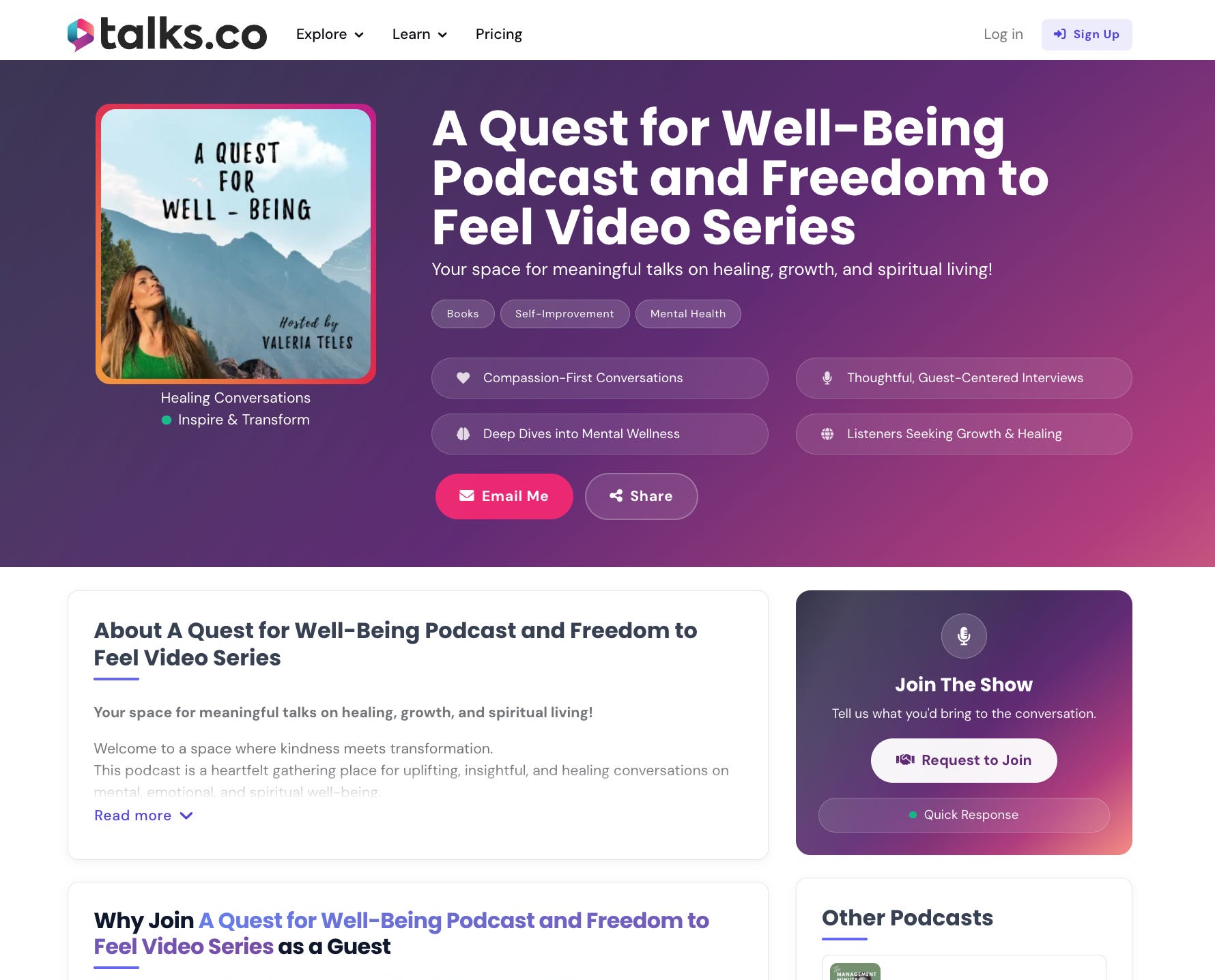
Five things happen the moment your Talks show profile is complete and none of them require you to do anything after the initial setup.
The algorithm gets accurate: The AI matches guests to your show based on what’s in your profile; a specific, complete profile surfaces guests whose topics, audiences, and communication styles genuinely fit what your show delivers.
Guests arrive pre-qualified: When a potential guest receives your connection request the first thing they do is click through to your profile; a well-built page answers their questions before they think to ask them.
Your show gets indexed: Your profile lives at talks.co/yourshowname, gets picked up by Google, and can rank in search results for your show name and topics within weeks of going live.
AI tools start recommending you: ChatGPT and Perplexity pull from Talks show profiles when someone asks what podcasts cover a specific topic; a complete profile puts your show in those results.
The work compounds: every match, every connection request, every Google ranking builds on the profile you set up once; nothing about this process requires you to redo it.
Build it properly once. Let it work indefinitely.
What actually matters when you build it 🛠️
The Talks platform walks you through profile creation with AI assistance so you’re not starting from scratch.
Four things determine whether your profile works or sits idle.
1. Your username

Permanent, public, and the foundation of your Google ranking; use your actual show name or the closest available version; changing it later resets your ranking and breaks every link you’ve already shared.
2. Your show description

Write it for potential guests, not listeners; include your core topic, your specific audience, and what a guest appearance on your show produces for them in terms of exposure and audience reach.
3. Your guest topics
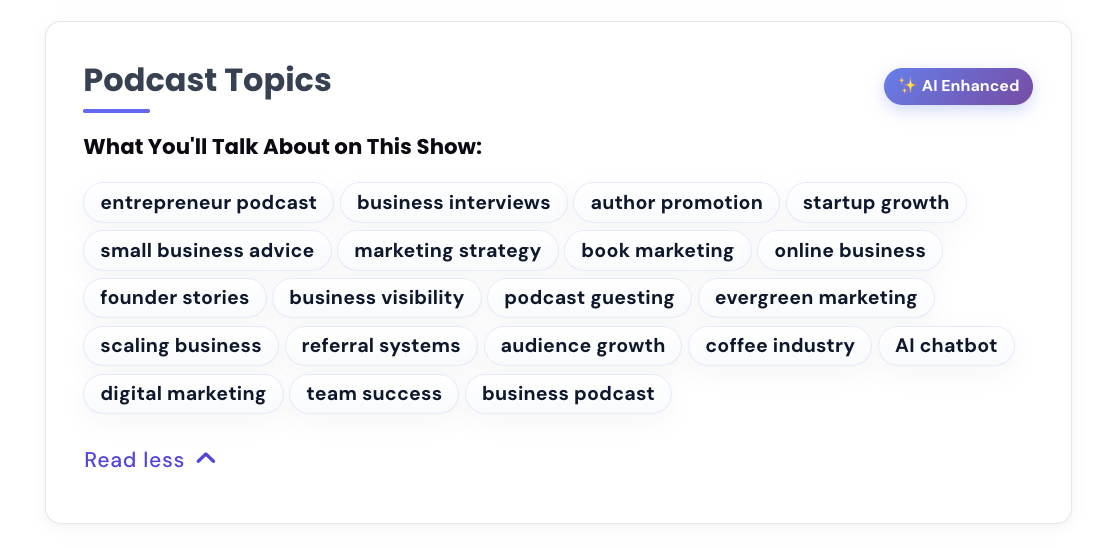
“Early-stage startup strategy” and “founder mental health” surface better matches than “business” and “entrepreneurship” every single time; the algorithm rewards specificity.
5. Your published episodes

The most powerful credibility signal a potential guest can find; add episode titles, guest names, and live links wherever you have them.
5 Steps to Get Your Show Ranking On Google
A complete Talks Show profile is the starting point. These five steps are what turn it into a search asset that compounds over time.
Step 1: Create your show profile and choose your username deliberately.
Step 2: Copy your show profile link from the Share page inside Talks.
Step 3: Add your show link to every social profile, LinkedIn, Facebook, Instagram, Twitter/X, TikTok, BlueSky, and Linktree; name it “Your Show Name Podcast” in the website field.
Step 4: Add your show link to your email signature with a line like “Hosting [Show Name], now booking guests.”
Step 5: Add your show link to your podcast website on your about or guest booking page with a CTA like “Apply to be a guest.”
Keep your Talks show link prominent on LinkedIn for at least 1-3 months while Google indexes and associates the profiles.
Members who follow all 5 steps consistently report ranking in the top 10 Google results for their show name within a few weeks to three months.
💡 Talks show profiles are being picked up by AI tools like ChatGPT and Perplexity too.
When someone asks an AI what podcasts cover a specific topic, a complete and well-linked profile increases the chances of your show being recommended.
The same five steps that help Google find you help AI find you.
The Shift Worth Making Right Now
Guest booking stops feeling like a weekly grind the moment your profile starts doing the work.
Guests find your show through search and matching.
They read the profile and decide they’re a fit.
They send a connection request.
You review and accept.
The guests who are right for your show are already on the platform looking for hosts. A well-built profile is what puts your show in front of them.
This is Part 1 of a 5-part series on how to use Talks as a complete podcast host playbook.
The full series:
✅ Part 1 (you’re here): Show profile setup and getting your podcast found on Google
Part 2: AI matching and the double opt-in system from the host’s perspective
Part 3: Advanced search filters and how to vet guests before you connect
Part 4: The inbox workflow from the host’s perspective and managing multiple guest conversations
Part 5: Reviews, filling your recording calendar consistently, and building a show reputation that attracts better guests over time
🔖 Save this post before you open Talks. The five-step Google ranking process above is the part most hosts skip and it’s worth doing once properly right from the start.
P.S. The show username you choose on Talks becomes your permanent public URL and directly affects how quickly your show ranks on Google. Use your actual show name or the closest available version of it. Two minutes of thought before you hit save is worth months of ranking momentum. 👇
Keep Talking,
Liam
~
Visibility systems to grow your personal brand, audience + authority with guest appearances. First online sale in 2001. Built multiple 6–7 figure online businesses. 400+ interviews. Malta, Stockholm, Sydney. Love soccer, surf & burritos.